
• Product

    Product

    Sales CRM

    Close deals faster with AI

    Marketing CRM

    Automate campaigns across channels

    Service CRM

    Resolve customer issues faster

    Automation CRM

    Automate workflows without code

    • AI SDR Agent
    • Contact 360° View
    • Lead & Deal Segmentation
    • Smart Deal Pipeline
    • Sales Playbook Automation
    • Auto Follow-Up Sequences
    • Meeting Scheduler with CRM Sync
    • Missed Call Automation
    • Click-to-Call Anywhere
    • Smart List Builder
    • Multi-Channel Campaign Builder
    • A/B Testing & AI Optimizations
    • Dynamic Form Builder with Chat Integration
    • Behavioral Trigger Campaigns
    • Contact Lifecycle Tracking
    • AI-Powered Support(Voice + Chat)
    • Helpdesk Ticketing + Live Chat Integration
    • Auto FAQ & KB Integration in Chatbot
    • Voice Call Routing & Agent Assignment
    • Multi-Channel Feedback Collection
    • Voice/Chat Summary Saved to Record Automatically
    • No-Code Workflow Builder
    • Smart Triggers
    • Event-Based Triggers
    • AI Intent-Based Triggers
    • AI-Based Branching Logic
    • Custom Field Capture in Conversations
    • Cross-Platform Automation
    • Webhook Support + API Access

    Integrations

    Stripe

    Zoho

    Make

    HubSpot

    Zapier

    bigin

    Bigin

    Pabbly

    slack

    Slack

    and 6000 + integrations

  • Channel

    Bulk SMS Campaigns

    Send mass messages instantly

    Automated SMS Replies

    Set keyword-based auto responses

    SMS Opt-Out Handling

    Automatically exclude unsubscribed numbers

    Drip SMS Sequences

    Time-based SMS journeys

    10DLC Support

    Ensure deliverability & compliance with US 10DLC standards.

    Toll Free Texting

    Use toll-free numbers for campaigns & 2-way conversations.

    Two-Way SMS Messaging

    Engage in real-time text conversations with customers.

    Email to SMS

    Send SMS directly from your email inbox (no plugins needed).

    See more features

    Rich Media Messaging

    Send images, videos, carousels, and buttons natively in the inbox

    Verified Sender Branding

    Appear with business name, logo, and trust badge

    Suggested Replies & Action

    Guide users with quick response buttons and call-to-actions

    Interactive Product Showcases

    Display products or services with tap-to-buy options

    Fallback to SMS

    Automatically switch to SMS if RCS isn’t supported

    Customer Segmentation

    Send targeted RCS messages based on tags, behavior, or location

    Integrated Analytics

    Track click-throughs, replies, and conversion metrics

    2-Way Conversations

    Enable interactive chats with real-time CRM syncing

    See more features

    Broadcast Campaigns

    Send bulk messages using approved templates

    WhatsApp Flow Builder

    Design interactive WhatsApp journeys

    Click-to-chat

    Send Mass Text Message quickly and easily

    Opt-out & Consent Management

    Automatically handle opt-outs and privacy

    Drip Sequences

    Create automated WhatsApp flows based on time delays, actions, or funnel stages.

    Verified Green Tick Support

    Get help in registering and managing your official WhatsApp Business API account.

    Category-Based Campaigns

    Run separate campaigns for demo users, trials, high-intent leads, or renewals — with dynamic tags.

    Smart Contact Segmentation

    Target users based on behavior, tags, or CRM filters for higher engagement.

    See more features

    Inbound Contact Center

    Manage and route customer support calls efficiently

    Sales Dialer

    Boost outreach with automated outbound dialing

    Power Dialer

    Automatically dial multiple leads back-to-back to triple your team's outreach efficiency.

    Outbound Call Center

    Call campaigns for follow-ups, reminders, and sales

    IVR (Call Menu)

    Let customers navigate and self-serve with smart menus

    Call Recording

    Record all calls for training, compliance, and quality

    Call Forwarding

    Redirect calls to the right team or agent instantly

    Automated Voice Campaigns

    Run personalized, AI-driven calls at scale to engage, qualify, and convert leads hands-free.

    See more features

    Drag and Drop Builder

    create emails from drag-and-drop builder

    Drip Sequences

    Automate follow-ups with time-based email flows

    Open & Click Tracking

    Know who’s engaging and when

    Smart Segmentation

    Target by tags, actions, or CRM properties

    Email Templates

    Save reusable layouts for common use cases

    Smart Trigger Emails

    Auto-send based on pipeline stage or tags

    Compliance Built-In

    Easy opt-out, consent tracking, and domain control

    Deliverability Insights

    Monitor bounce rate, spam score & performance

    See more features

    Tools

    • Phone Verifer
    • Email Verifier
    • Template Generator
    • Lead Finder
    • WhatsApp Chat Button

    Find Our Apps on

  • AI

    Agents

    • WhatsApp Agent
    • SMS Agent
    • Voice Agent
    • Email Agent
    • Sales Agent
    • Support Agent

    Use Cases

    Lead Qualification Bot

    Auto-qualify leads with contextual questions and update CRM instantly

    Appointment Booking Bot

    Send Mass Text Message quickly and easily

    Customer Support Bot

    Answer FAQs, check order status, and escalate complex issues

    Feedback Collection Bot

    Run CSAT/NPS surveys across WhatsApp, SMS, or voice

    Intent-Based Routing Bot

    Understand user query and route to the right agent or workflow

    Voice Call Back Bot

    Capture missed calls and auto-offer callback or support

    Multi-Step Booking Bot

    Book appointments with time slot, confirmation, and reminder.

    Knowledge Base Navigator

    Understand the query and guide users to the right article step-by-step.

    See more usecases

    Features

    • Conversational AI (Voice + Chat)
    • Multilingual & Accent Adaptive
    • Context Retention Across Channels
    • Custom Objectives (Sales, Support)
    • Call Flow Automation
    • Human Handoff with Smart Routing
  • Solutions

    By Team

    • Sales
    • Marketing
    • Service
    • Operations

    By Company Size

    • StartUp
    • Small Business
    • Mid-Market
    • EnterPrise

    By Industry

    • Healthcare
    • Property & RealEstate
    • SaaS & Tech
    • Recruiting
    • EdTech
    • Finances


    • Car Dealership
    • Law Firms
    • Insurance
    • Ecommerce
    • Retail
    • Marketing Agencies

    Try Now →

  • Resources
    • Blogs
    • Help Center
    • Talk to Sales
    • Security & Compliances
    • Case Study & Testimonials
    • Partner & Affilitate
    • APIs

    How To Videos

    Voice to Warm Up Cold Leads

    How to run your omnichannel inbox?

    AI Voice Agents: The Secret Weapon for Sales Teams in 2025

    How to Create your Own Voice Agent?

    Combine Email, SMS, and WhatsApp into a Unified CRM Workflow

    How to create deal and collect payment?

    Use Case

    How to Register for 10DLC to Send SMS in the USA?

    Latest Blog

    Say Hello to One Unified Inbox — Conquer Conversations Everywhere | HelloCRM

    Read More »
  • Pricing
Login
Book demo

WhatsApp Broadcast vs WhatsApp Chatbots: What Works for Sales?

  • April 22, 2025
  • 8:34 pm
Table of Content
WhatsApp Broadcast vs. WhatsApp Chatbots

Introduction

WhatsApp has quickly moved from being a personal messaging app to a mission-critical sales and support channel for businesses. With 2.7+ billion users globally and sky-high engagement rates, it’s no wonder companies are building their sales processes directly into WhatsApp.

But one question consistently comes up:

Should you use WhatsApp Broadcast vs WhatsApp Chatbots for sales?

The short answer? It depends on your goals.

While both tools are incredibly powerful when used right, they serve very different functions — and when used together strategically, they can drive faster conversions, higher engagement, and better sales outcomes.

What is a WhatsApp Broadcast?

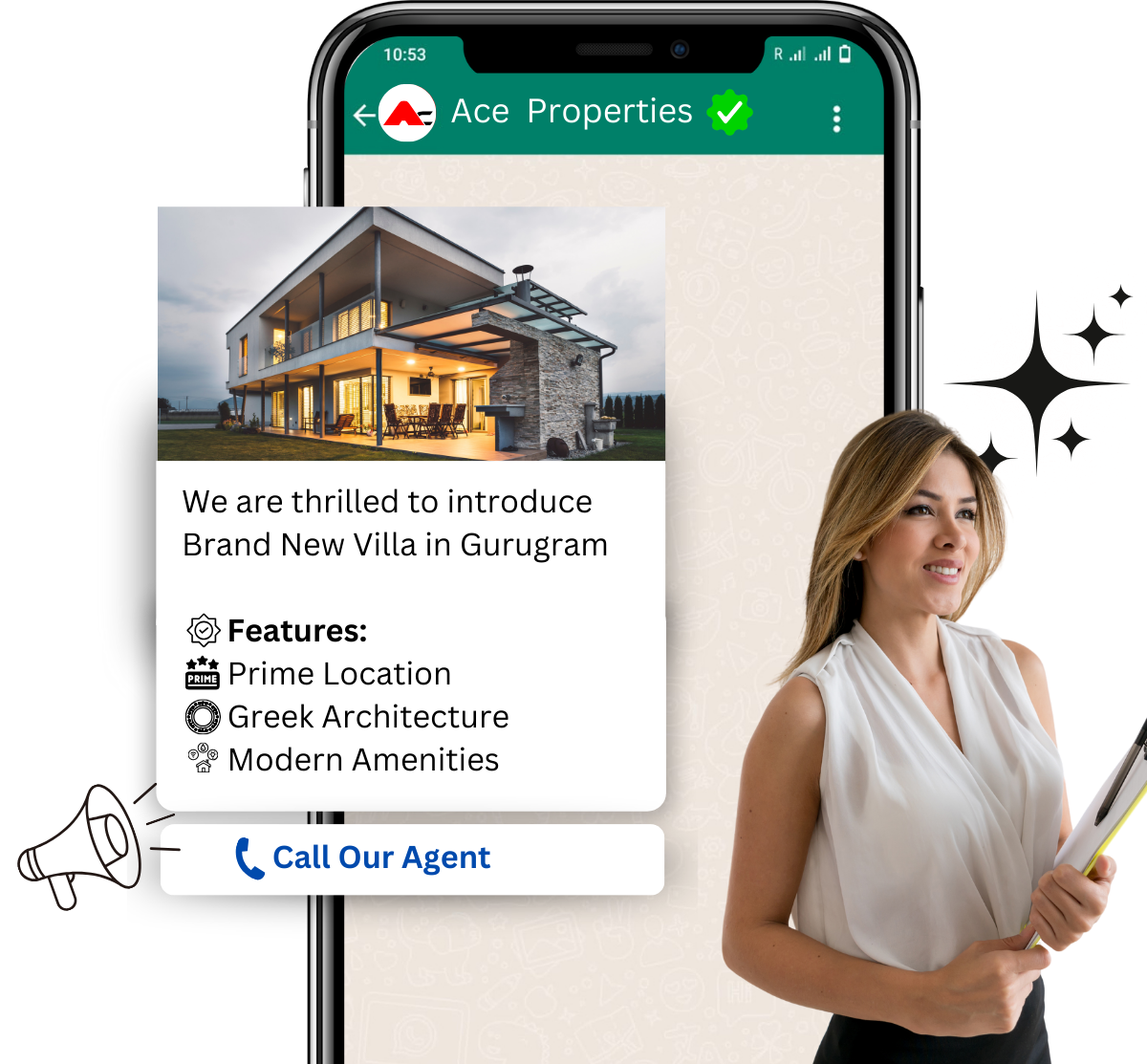
A WhatsApp Broadcast allows you to send a one-to-many message to a list of contacts without starting a group chat. The recipients see the message as a one-on-one chat, and their replies come back privately.

✅ Broadcast Use Cases for Sales:

  • Announcing limited-time offers or discounts
  • Launching new products or features
  • Sending event or webinar reminders
  • Re-engaging leads after inactivity
  • Upselling existing customers
WhatsApp Broadcast vs WhatsApp Chatbots

📌 Key Requirements:

  • You can only send to users who have opted in and saved your business number
  • Template messages must be pre-approved by WhatsApp (especially for outbound)

What is a WhatsApp Chatbot?

A WhatsApp chatbot is an AI-powered conversational flow that responds to messages automatically, handles queries, and guides users through interactive journeys — all inside WhatsApp.

Chatbots are two-way and respond in real-time based on:

  • Keywords
  • Buttons
  • Quick replies
  • CRM data (e.g., “Send me my proposal”)
  • User behavior or funnel stage

✅ Chatbot Use Cases for Sales:

  • Qualifying leads from ads or websites
  • Booking demos or calls
  • Answering product FAQs
  • Handling objections
  • Sharing documents or pricing instantly
  • Supporting buyers in decision-making

WhatsApp Broadcast Vs WhatsApp Chatbots

FeatureWhatsApp BroadcastWhatsApp Chatbot
DirectionOne-to-manyTwo-way conversation
InteractionPassive (push)Active (interactive)
PersonalizationBasic (name, field merge)Dynamic (real-time logic)
Opt-In RequiredYesYes
Message TypePre-scheduled pushReactive + triggered
AutomationNone (manual trigger)Fully automated
Use in SalesCampaigns, announcementsQualification, booking, support
Best ForOffers, reactivationEngagement, conversion, nurture

When to Use WhatsApp Broadcasts for Sales

Broadcasts are best when you want to reach a large number of opted-in users with the same high-value message. Think of them like your “megaphone” — but more personal than email or SMS.

🎯 Use Broadcasts When:

  • You want to announce a limited-time promotion
  • You’re launching a new product or feature
  • You need to remind users of an expiring trial or offer
  • You’re running seasonal campaigns (e.g., Black Friday, Year-End Offers)
  • You want to reactivate cold leads with a single punchy message

📈 Sales Example:

“Hey {{name}}, we’ve just added AI Voice Agents to Hello CRM. Want a demo? Book now and get 20% off before Friday: [link]”

📌 Best Practices:

  • Keep it short and action-oriented
  • Use approved templates with personalization
  • Include a clear CTA (“Reply YES to book a call”)
  • Respect time zones and avoid spamming

When to Use WhatsApp Chatbots for Sales

Chatbots shine when your goal is conversion, qualification, or engagement. They’re not just a message — they’re a conversation.

Think of them as your sales assistant who never sleeps, guiding leads toward booking, learning, or buying — 24/7.

🎯 Use Chatbots When:

  • You want to qualify leads coming from ads or landing pages
  • You need to handle FAQs automatically (pricing, features, etc.)
  • You want to book calls, demos, or appointments
  • You’re sending documents, proposals, or onboarding flows
  • You want to continue a sales conversation instantly

📈 Sales Example:

A lead clicks a Facebook ad → lands on WhatsApp → chatbot asks:

  1. “Are you looking for a CRM for personal or team use?”
  2. “What size is your team?”
  3. “Want to book a 15-min call now?”

→ The bot books the call and sends the calendar invite.


Real-World Sales Workflows: Chatbot + Broadcast Together

The best results come when you use both tools in sync — broadcasts to start conversations, chatbots to continue them.

🧠 Example 1: Reactivation Campaign

  • Broadcast: “Haven’t heard from you! Still need a smart CRM? Let’s talk. Reply YES to reconnect.”
  • Bot Trigger: If user replies YES → chatbot kicks in to requalify and book call

📦 Example 2: Product Launch Campaign

  • Broadcast: “We’ve just launched voice automation. Want a quick overview?”
  • Bot Flow: User replies YES → chatbot sends video, use case, and books a call

⏳ Example 3: Trial Expiry Flow

  • Bot: Sends usage summary, offers extension, asks for feedback
  • Broadcast (later): Sends final reminder — “Your trial expires tonight. Need help upgrading?”

How Hello CRM Powers Both, Natively

Hello CRM gives you native WhatsApp capabilities with:

  • Built-in broadcast scheduling
  • Chatbot design with drag-and-drop flow builder
  • AI agent integration (respond like a human in real-time)
  • Contact segmentation and targeting
  • Template approvals and opt-in management
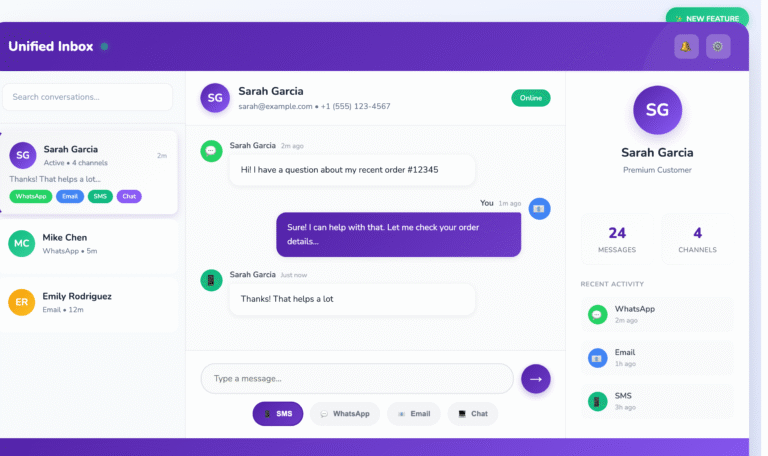
  • Unified inbox + CRM timeline for WhatsApp, SMS, Email, and Voice

🔥 With Hello CRM, You Can:

  • Send broadcasts based on funnel stage
  • Trigger chatbots from ad clicks, web forms, or lead activity
  • Personalize every message using CRM fields
  • Escalate chats to humans or AI voice agents
  • Track replies, clicks, and conversions — all in one view

No third-party bots, no separate platforms — it’s all inside Hello CRM.


Broadcast vs. Chatbot: Quick Comparison for Sales Goals

Sales GoalBetter ToolWhy
Re-engage cold leadsBroadcast + chatbotOne starts the convo, the other converts
Qualify ad leads instantlyChatbotInteractive, fast, personalized
Announce flash saleBroadcastOne-to-many, quick impact
Answer product questionsChatbotReal-time, scalable FAQs
Convert free trial usersChatbot + broadcastTriggered + timed reminders
Share a limited-time offerBroadcastHigh urgency, simple CTA
Route to sales repChatbotBased on logic, urgency, behavior

Common Mistakes to Avoid

❌ Sending broadcasts without opt-in

Always make sure users consent to WhatsApp messages. Hello CRM tracks this for you.

❌ Over-automation

Let chatbots handle first contact — but always offer escalation to a human when needed.

❌ Generic messages

Use personalization fields (name, company, use case) to make every interaction feel 1:1.

❌ Spamming your list

Limit your broadcasts to a few times per month unless it’s time-sensitive or segmented.


Final Thoughts

WhatsApp broadcasts and chatbots aren’t either-or — they’re both.

  • Use broadcasts to reach
  • Use chatbots to engage and convert
  • Use Hello CRM to orchestrate the whole flow

By combining the strengths of each tool, you’ll:

  • Improve lead response time
  • Automate qualification
  • Deliver helpful answers instantly
  • And ultimately, close more deals faster

Want to build WhatsApp sales flows that actually work?
Start your free trial or book a live demo — and see how Hello CRM lets you run broadcasts and chatbots from one powerful dashboard.

Say hello to your new CRM

Take a risk-free trial and explore all capabilities at zero cost for 15 days.
Try Free for 15 Days!

15-day free trial · No credit card required

Say Hello to One Unified Inbox — Conquer Conversations Everywhere | HelloCRM

Read More
Transform WhatsApp into a Multi Agent CRM & Ticketing System

Transform WhatsApp into a Multi Agent WhatsApp Support

Read More

Why Old CRMs Fail Startups (and How HelloCRM Solves It)

Read More

An AI-powered platform that unifies marketing, sales, and support for seamless customer engagement. 🚀

Sales & Marketing

  • Contacts & Companies
  • Deals & Quotes
  • AI Agents
  • Forms & Meetings
  • Tickets & Live Chat
  • Campaigns

Channels

  • SMS
  • RCS
  • WhatsApp
  • Voice
  • Email
  • Live Chat Widget

Tools

  • Phone Number Lookup
  • Email Verifier
  • URL Shortner
  • Lead Scrapper
  • Template Generator

Copyright @ 2026 HelloCRM

  • Privacy Policy
  • Terms of Service
  • Fair Use Policy
  • Privacy Policy
  • Terms of Service
  • Fair Use Policy
Linkedin Whatsapp X-twitter Youtube