
• Product

    Product

    Sales CRM

    Close deals faster with AI

    Marketing CRM

    Automate campaigns across channels

    Service CRM

    Resolve customer issues faster

    Automation CRM

    Automate workflows without code

    • AI SDR Agent
    • Contact 360° View
    • Lead & Deal Segmentation
    • Smart Deal Pipeline
    • Sales Playbook Automation
    • Auto Follow-Up Sequences
    • Meeting Scheduler with CRM Sync
    • Missed Call Automation
    • Click-to-Call Anywhere
    • Smart List Builder
    • Multi-Channel Campaign Builder
    • A/B Testing & AI Optimizations
    • Dynamic Form Builder with Chat Integration
    • Behavioral Trigger Campaigns
    • Contact Lifecycle Tracking
    • AI-Powered Support(Voice + Chat)
    • Helpdesk Ticketing + Live Chat Integration
    • Auto FAQ & KB Integration in Chatbot
    • Voice Call Routing & Agent Assignment
    • Multi-Channel Feedback Collection
    • Voice/Chat Summary Saved to Record Automatically
    • No-Code Workflow Builder
    • Smart Triggers
    • Event-Based Triggers
    • AI Intent-Based Triggers
    • AI-Based Branching Logic
    • Custom Field Capture in Conversations
    • Cross-Platform Automation
    • Webhook Support + API Access

    Integrations

    Stripe

    Zoho

    Make

    HubSpot

    Zapier

    bigin

    Bigin

    Pabbly

    slack

    Slack

    and 6000 + integrations

  • Channel

    Bulk SMS Campaigns

    Send mass messages instantly

    Automated SMS Replies

    Set keyword-based auto responses

    SMS Opt-Out Handling

    Automatically exclude unsubscribed numbers

    Drip SMS Sequences

    Time-based SMS journeys

    10DLC Support

    Ensure deliverability & compliance with US 10DLC standards.

    Toll Free Texting

    Use toll-free numbers for campaigns & 2-way conversations.

    Two-Way SMS Messaging

    Engage in real-time text conversations with customers.

    Email to SMS

    Send SMS directly from your email inbox (no plugins needed).

    See more features

    Rich Media Messaging

    Send images, videos, carousels, and buttons natively in the inbox

    Verified Sender Branding

    Appear with business name, logo, and trust badge

    Suggested Replies & Action

    Guide users with quick response buttons and call-to-actions

    Interactive Product Showcases

    Display products or services with tap-to-buy options

    Fallback to SMS

    Automatically switch to SMS if RCS isn’t supported

    Customer Segmentation

    Send targeted RCS messages based on tags, behavior, or location

    Integrated Analytics

    Track click-throughs, replies, and conversion metrics

    2-Way Conversations

    Enable interactive chats with real-time CRM syncing

    See more features

    Broadcast Campaigns

    Send bulk messages using approved templates

    WhatsApp Flow Builder

    Design interactive WhatsApp journeys

    Click-to-chat

    Send Mass Text Message quickly and easily

    Opt-out & Consent Management

    Automatically handle opt-outs and privacy

    Drip Sequences

    Create automated WhatsApp flows based on time delays, actions, or funnel stages.

    Verified Green Tick Support

    Get help in registering and managing your official WhatsApp Business API account.

    Category-Based Campaigns

    Run separate campaigns for demo users, trials, high-intent leads, or renewals — with dynamic tags.

    Smart Contact Segmentation

    Target users based on behavior, tags, or CRM filters for higher engagement.

    See more features

    Inbound Contact Center

    Manage and route customer support calls efficiently

    Sales Dialer

    Boost outreach with automated outbound dialing

    Power Dialer

    Automatically dial multiple leads back-to-back to triple your team's outreach efficiency.

    Outbound Call Center

    Call campaigns for follow-ups, reminders, and sales

    IVR (Call Menu)

    Let customers navigate and self-serve with smart menus

    Call Recording

    Record all calls for training, compliance, and quality

    Call Forwarding

    Redirect calls to the right team or agent instantly

    Automated Voice Campaigns

    Run personalized, AI-driven calls at scale to engage, qualify, and convert leads hands-free.

    See more features

    Drag and Drop Builder

    create emails from drag-and-drop builder

    Drip Sequences

    Automate follow-ups with time-based email flows

    Open & Click Tracking

    Know who’s engaging and when

    Smart Segmentation

    Target by tags, actions, or CRM properties

    Email Templates

    Save reusable layouts for common use cases

    Smart Trigger Emails

    Auto-send based on pipeline stage or tags

    Compliance Built-In

    Easy opt-out, consent tracking, and domain control

    Deliverability Insights

    Monitor bounce rate, spam score & performance

    See more features

    Tools

    • Phone Verifer
    • Email Verifier
    • Template Generator
    • Lead Finder
    • WhatsApp Chat Button

    Find Our Apps on

  • AI

    Agents

    • WhatsApp Agent
    • SMS Agent
    • Voice Agent
    • Email Agent
    • Sales Agent
    • Support Agent

    Use Cases

    Lead Qualification Bot

    Auto-qualify leads with contextual questions and update CRM instantly

    Appointment Booking Bot

    Send Mass Text Message quickly and easily

    Customer Support Bot

    Answer FAQs, check order status, and escalate complex issues

    Feedback Collection Bot

    Run CSAT/NPS surveys across WhatsApp, SMS, or voice

    Intent-Based Routing Bot

    Understand user query and route to the right agent or workflow

    Voice Call Back Bot

    Capture missed calls and auto-offer callback or support

    Multi-Step Booking Bot

    Book appointments with time slot, confirmation, and reminder.

    Knowledge Base Navigator

    Understand the query and guide users to the right article step-by-step.

    See more usecases

    Features

    • Conversational AI (Voice + Chat)
    • Multilingual & Accent Adaptive
    • Context Retention Across Channels
    • Custom Objectives (Sales, Support)
    • Call Flow Automation
    • Human Handoff with Smart Routing
  • Solutions

    By Team

    • Sales
    • Marketing
    • Service
    • Operations

    By Company Size

    • StartUp
    • Small Business
    • Mid-Market
    • EnterPrise

    By Industry

    • Healthcare
    • Property & RealEstate
    • SaaS & Tech
    • Recruiting
    • EdTech
    • Finances


    • Car Dealership
    • Law Firms
    • Insurance
    • Ecommerce
    • Retail
    • Marketing Agencies

    Try Now →

  • Resources
    • Blogs
    • Help Center
    • Talk to Sales
    • Security & Compliances
    • Case Study & Testimonials
    • Partner & Affilitate
    • APIs

    How To Videos

    Voice to Warm Up Cold Leads

    How to run your omnichannel inbox?

    AI Voice Agents: The Secret Weapon for Sales Teams in 2025

    How to Create your Own Voice Agent?

    Combine Email, SMS, and WhatsApp into a Unified CRM Workflow

    How to create deal and collect payment?

    Use Case

    How to Register for 10DLC to Send SMS in the USA?

    Latest Blog

    Say Hello to One Unified Inbox — Conquer Conversations Everywhere | HelloCRM

    Read More »
  • Pricing
Login
Book demo

Using Voice to Warm Up Cold Leads: Scripts, Strategy, and Results

  • April 22, 2025
  • 6:52 pm
Table of Content
Voice to Warm Up Cold Leads

Introduction

Most businesses have a backlog of leads that never turned into customers. These cold leads may have:

  • Ghosted after an initial inquiry
  • Dropped off after receiving a quote
  • Gone silent post-demo
  • Never responded at all

They’re sitting in your CRM right now. And they’re not useless.

The truth? Many cold leads didn’t say “no” — they just didn’t get the right message, at the right time, in the right way.

This is where voice outreach becomes a powerful reactivation tool. And when it’s powered by AI voice agents or CRM-triggered calling automation, you can reconnect at scale — without exhausting your sales team.

In this blog, we’ll break down:

  • Why voice still matters (even in the age of WhatsApp and email)
  • How voice can revive cold leads
  • Effective cold lead calling scripts
  • Smart strategies and timing
  • Real-world results from voice-first re-engagement
  • How to automate voice outreach using Hello CRM

Why Voice Works So Well for Cold Leads

When done right, voice contact builds trust fast. Unlike email or text, a phone call creates:

  • Immediacy: Real-time answers and tone recognition
  • Emotion: Humans connect through voice
  • Clarification: You can handle objections on the spot
  • Differentiation: Inboxes are crowded — calls feel personal and urgent

In fact, according to HubSpot:

“Voice calls are 10x more likely to get a response from cold leads than email alone.”

Now imagine combining that with CRM context + AI-powered voice agents who can call leads at the perfect time, with personalized scripts, and log results instantly.


When to Use Voice for Cold Leads

Voice isn’t always the first touch — but it’s often the best second or third.

Here are high-value opportunities for voice contact:

  • 📞 After no response to proposal follow-up
  • 📞 After trial ended but no upgrade
  • 📞 Post-demo, but lead went cold
  • 📞 When new features are released
  • 📞 When a lead is tagged “cold” but never disqualified
  • 📞 After several emails go unopened

These are moments where a personal call — even if automated — can reignite interest or gather intel for your sales team.


How to Warm Up Cold Leads with Voice: Strategy First

Before you hit “call,” you need to design the right strategy. That means:

1. Segment Your Cold Leads

Not every cold lead is equal. Use Hello CRM filters to group leads based on:

  • Last activity date
  • Funnel stage
  • Industry or deal size
  • Original source (ads, referrals, organic)

Example segments:

  • “Cold – No reply after proposal”
  • “Trial expired – no upgrade”
  • “Engaged once – no further contact”

2. Decide Your Voice Outreach Method

You have two main options:

✅ AI Voice Agent Calls

  • Fully automated
  • Personalized with CRM fields
  • Can qualify, leave voicemails, or book meetings

✅ Human SDR/Rep Calls

  • Use CRM call scripts
  • Triggered based on lead stage or behavior
  • Manual or semi-automated, with AI summaries

Many teams use both — AI for the first touch, then human follow-up.

3. Define Your CTA

Every cold lead call should have a clear goal:

  • Book a meeting
  • Requalify interest
  • Offer a discount or new option
  • Gather feedback (and get back on radar)

Don’t call just to say “Hey, just checking in…”


Cold Lead Re-Engagement Call Scripts (For AI or Human Use)

Here are a few field-tested scripts you can use with Hello CRM’s voice agent module — or your sales team:


📞 Script 1: Post-Proposal No Response

“Hi {{name}}, this is {{agent_name}} from Hello CRM. We had sent you a proposal a little while ago and wanted to make sure it didn’t get buried.

Are you still exploring CRM tools — or has your focus shifted for now?

If it’s about timing or questions, I’d be happy to help or reschedule a call. Just let me know what works best.”

CTA: Confirm interest or re-book call


📞 Script 2: Trial Ended – No Upgrade

“Hi {{name}}, your Hello CRM trial expired last week, and I noticed you didn’t activate a plan.

Was there something we could’ve made easier during onboarding?

We’ve helped similar businesses streamline workflows in under 7 days.
Want to give it another shot?”

CTA: Re-engage or extend trial


📞 Script 3: Feature Update Re-Engagement

“Hi {{name}}, just calling to let you know about some powerful new features inside Hello CRM — including voice agents, multichannel flows, and WhatsApp automation.

Since you showed interest earlier, would you like a quick walk-through or update deck?”

CTA: Re-open the conversation with value


📞 Script 4: Qualification Check-In

“Hi {{name}}, this is {{agent_name}} from Hello CRM. I know we spoke a while back — just checking if CRM automation is still on your radar.

Has anything changed on your end in terms of team size or priorities?”

CTA: Requalify or disqualify for pipeline clarity


When to Call: Timing Your Voice Outreach

Success with voice isn’t just about what you say — it’s when you say it.

Best times to reach cold leads:

  • Weekdays between 10AM–12PM and 2PM–4PM (based on local timezone)
  • Tuesdays to Thursdays outperform Mondays and Fridays
  • 1–3 days after a relevant trigger (email unopened, trial expired)

Hello CRM can auto-schedule AI voice calls based on optimal send times — ensuring your outreach isn’t just smart, but well-timed.


Automating Voice Outreach in Hello CRM

Here’s how to automate cold lead reactivation with voice inside Hello CRM:

Step-by-Step Setup:

  1. Create a Smart Segment:
    Filter for leads with last activity >30 days ago + funnel stage = “Proposal Sent” or “Demo Done”
  2. Design Your Voice Agent Script:
    Use Hello CRM’s drag-and-drop builder to write dynamic scripts with {{name}}, {{company}}, and branching logic.
  3. Trigger Calls Automatically:
    Set triggers like “30 days inactive” or “No email click in 7 days” → initiate voice call
  4. Route Based on Outcome:
    • If answered → send follow-up email or calendar link
    • If no answer → leave voicemail and follow with SMS
    • If qualified → assign to rep or move to “warm” stage
  5. Log & Score:
    Every call is transcribed, summarized, and scored using AI. Reps can see exactly what happened before jumping in.

Real-World Results: What to Expect

Companies using Hello CRM voice workflows to re-engage cold leads have reported:

  • 2–4x higher reply rates compared to email-only
  • Up to 60% of “dead” leads requalified within 30 days
  • Lower cost-per-acquisition by reusing existing leads
  • Shorter sales cycles when leads re-engage with context

When paired with SMS and email automation, voice acts as the human-like bridge that reconnects your pipeline to revenue.


Final Thoughts

Cold leads aren’t lost. They’re just waiting for the right message at the right time — and voice is one of the most powerful ways to deliver it.

With Hello CRM, you can:

  • Build voice-first workflows that run automatically
  • Use AI agents to scale personalized outreach
  • Equip your reps with scripts, context, and call summaries
  • Revive old leads without burning new ones

Ready to bring cold leads back to life?
Start your free trial or book a demo to see how voice + CRM automation can turn “maybe later” into “let’s talk.”
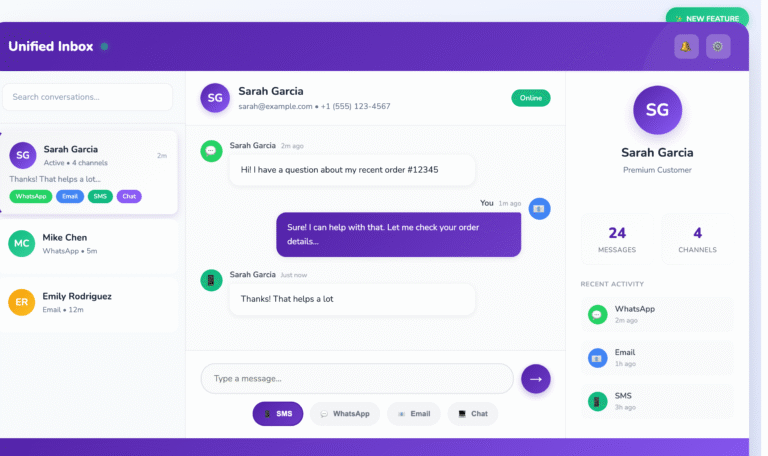

Say hello to your new CRM

Take a risk-free trial and explore all capabilities at zero cost for 15 days.
Try Free for 15 Days!

15-day free trial · No credit card required

Say Hello to One Unified Inbox — Conquer Conversations Everywhere | HelloCRM

Read More
Transform WhatsApp into a Multi Agent CRM & Ticketing System

Transform WhatsApp into a Multi Agent WhatsApp Support

Read More

Why Old CRMs Fail Startups (and How HelloCRM Solves It)

Read More

An AI-powered platform that unifies marketing, sales, and support for seamless customer engagement. 🚀

Sales & Marketing

  • Contacts & Companies
  • Deals & Quotes
  • AI Agents
  • Forms & Meetings
  • Tickets & Live Chat
  • Campaigns

Channels

  • SMS
  • RCS
  • WhatsApp
  • Voice
  • Email
  • Live Chat Widget

Tools

  • Phone Number Lookup
  • Email Verifier
  • URL Shortner
  • Lead Scrapper
  • Template Generator

Copyright @ 2026 HelloCRM

  • Privacy Policy
  • Terms of Service
  • Fair Use Policy
  • Privacy Policy
  • Terms of Service
  • Fair Use Policy
Linkedin Whatsapp X-twitter Youtube