
• Product

    Product

    Sales CRM

    Close deals faster with AI

    Marketing CRM

    Automate campaigns across channels

    Service CRM

    Resolve customer issues faster

    Automation CRM

    Automate workflows without code

    • AI SDR Agent
    • Contact 360° View
    • Lead & Deal Segmentation
    • Smart Deal Pipeline
    • Sales Playbook Automation
    • Auto Follow-Up Sequences
    • Meeting Scheduler with CRM Sync
    • Missed Call Automation
    • Click-to-Call Anywhere
    • Smart List Builder
    • Multi-Channel Campaign Builder
    • A/B Testing & AI Optimizations
    • Dynamic Form Builder with Chat Integration
    • Behavioral Trigger Campaigns
    • Contact Lifecycle Tracking
    • AI-Powered Support(Voice + Chat)
    • Helpdesk Ticketing + Live Chat Integration
    • Auto FAQ & KB Integration in Chatbot
    • Voice Call Routing & Agent Assignment
    • Multi-Channel Feedback Collection
    • Voice/Chat Summary Saved to Record Automatically
    • No-Code Workflow Builder
    • Smart Triggers
    • Event-Based Triggers
    • AI Intent-Based Triggers
    • AI-Based Branching Logic
    • Custom Field Capture in Conversations
    • Cross-Platform Automation
    • Webhook Support + API Access

    Integrations

    Stripe

    Zoho

    Make

    HubSpot

    Zapier

    bigin

    Bigin

    Pabbly

    slack

    Slack

    and 6000 + integrations

  • Channel

    Bulk SMS Campaigns

    Send mass messages instantly

    Automated SMS Replies

    Set keyword-based auto responses

    SMS Opt-Out Handling

    Automatically exclude unsubscribed numbers

    Drip SMS Sequences

    Time-based SMS journeys

    10DLC Support

    Ensure deliverability & compliance with US 10DLC standards.

    Toll Free Texting

    Use toll-free numbers for campaigns & 2-way conversations.

    Two-Way SMS Messaging

    Engage in real-time text conversations with customers.

    Email to SMS

    Send SMS directly from your email inbox (no plugins needed).

    See more features

    Rich Media Messaging

    Send images, videos, carousels, and buttons natively in the inbox

    Verified Sender Branding

    Appear with business name, logo, and trust badge

    Suggested Replies & Action

    Guide users with quick response buttons and call-to-actions

    Interactive Product Showcases

    Display products or services with tap-to-buy options

    Fallback to SMS

    Automatically switch to SMS if RCS isn’t supported

    Customer Segmentation

    Send targeted RCS messages based on tags, behavior, or location

    Integrated Analytics

    Track click-throughs, replies, and conversion metrics

    2-Way Conversations

    Enable interactive chats with real-time CRM syncing

    See more features

    Broadcast Campaigns

    Send bulk messages using approved templates

    WhatsApp Flow Builder

    Design interactive WhatsApp journeys

    Click-to-chat

    Send Mass Text Message quickly and easily

    Opt-out & Consent Management

    Automatically handle opt-outs and privacy

    Drip Sequences

    Create automated WhatsApp flows based on time delays, actions, or funnel stages.

    Verified Green Tick Support

    Get help in registering and managing your official WhatsApp Business API account.

    Category-Based Campaigns

    Run separate campaigns for demo users, trials, high-intent leads, or renewals — with dynamic tags.

    Smart Contact Segmentation

    Target users based on behavior, tags, or CRM filters for higher engagement.

    See more features

    Inbound Contact Center

    Manage and route customer support calls efficiently

    Sales Dialer

    Boost outreach with automated outbound dialing

    Power Dialer

    Automatically dial multiple leads back-to-back to triple your team's outreach efficiency.

    Outbound Call Center

    Call campaigns for follow-ups, reminders, and sales

    IVR (Call Menu)

    Let customers navigate and self-serve with smart menus

    Call Recording

    Record all calls for training, compliance, and quality

    Call Forwarding

    Redirect calls to the right team or agent instantly

    Automated Voice Campaigns

    Run personalized, AI-driven calls at scale to engage, qualify, and convert leads hands-free.

    See more features

    Drag and Drop Builder

    create emails from drag-and-drop builder

    Drip Sequences

    Automate follow-ups with time-based email flows

    Open & Click Tracking

    Know who’s engaging and when

    Smart Segmentation

    Target by tags, actions, or CRM properties

    Email Templates

    Save reusable layouts for common use cases

    Smart Trigger Emails

    Auto-send based on pipeline stage or tags

    Compliance Built-In

    Easy opt-out, consent tracking, and domain control

    Deliverability Insights

    Monitor bounce rate, spam score & performance

    See more features

    Tools

    • Phone Verifer
    • Email Verifier
    • Template Generator
    • Lead Finder
    • WhatsApp Chat Button

    Find Our Apps on

  • AI

    Agents

    • WhatsApp Agent
    • SMS Agent
    • Voice Agent
    • Email Agent
    • Sales Agent
    • Support Agent

    Use Cases

    Lead Qualification Bot

    Auto-qualify leads with contextual questions and update CRM instantly

    Appointment Booking Bot

    Send Mass Text Message quickly and easily

    Customer Support Bot

    Answer FAQs, check order status, and escalate complex issues

    Feedback Collection Bot

    Run CSAT/NPS surveys across WhatsApp, SMS, or voice

    Intent-Based Routing Bot

    Understand user query and route to the right agent or workflow

    Voice Call Back Bot

    Capture missed calls and auto-offer callback or support

    Multi-Step Booking Bot

    Book appointments with time slot, confirmation, and reminder.

    Knowledge Base Navigator

    Understand the query and guide users to the right article step-by-step.

    See more usecases

    Features

    • Conversational AI (Voice + Chat)
    • Multilingual & Accent Adaptive
    • Context Retention Across Channels
    • Custom Objectives (Sales, Support)
    • Call Flow Automation
    • Human Handoff with Smart Routing
  • Solutions

    By Team

    • Sales
    • Marketing
    • Service
    • Operations

    By Company Size

    • StartUp
    • Small Business
    • Mid-Market
    • EnterPrise

    By Industry

    • Healthcare
    • Property & RealEstate
    • SaaS & Tech
    • Recruiting
    • EdTech
    • Finances


    • Car Dealership
    • Law Firms
    • Insurance
    • Ecommerce
    • Retail
    • Marketing Agencies

    Try Now →

  • Resources
    • Blogs
    • Help Center
    • Talk to Sales
    • Security & Compliances
    • Case Study & Testimonials
    • Partner & Affilitate
    • APIs

    How To Videos

    Voice to Warm Up Cold Leads

    How to run your omnichannel inbox?

    AI Voice Agents: The Secret Weapon for Sales Teams in 2025

    How to Create your Own Voice Agent?

    Combine Email, SMS, and WhatsApp into a Unified CRM Workflow

    How to create deal and collect payment?

    Use Case

    How to Register for 10DLC to Send SMS in the USA?

    Latest Blog

    Say Hello to One Unified Inbox — Conquer Conversations Everywhere | HelloCRM

    Read More »
  • Pricing
Login
Book demo

Template Messaging Rules: Staying Compliant While Automating

  • April 22, 2025
  • 5:40 pm
Table of Content
Template Messaging

Introduction

In the race to automate customer communication, speed and scale matter — but Staying Compliant is everything.

If you’re using channels like WhatsApp, SMS, or even email to send automated messages through your CRM, you’re likely leveraging message templates to initiate conversations or re-engage leads. But with great automation comes great responsibility.

There are clear rules — especially on platforms like WhatsApp — around how and when you can use template messages, what they can say, and who you can send them to. Ignoring these rules doesn’t just hurt your deliverability — it can result in blocked numbers, flagged accounts, and legal consequences.

In this blog, we’ll break down:

  • What template messages are and how they work
  • The rules for compliant usage (with a focus on WhatsApp)
  • How to build approved templates that get delivered
  • How Hello CRM helps you automate messaging without crossing any lines

What Are Template Messages?

Template messages are pre-approved message formats that businesses can use to initiate a conversation with a user on certain channels — especially WhatsApp via the Business API.

They’re required when:

  • You are sending a message outside the 24-hour conversation window
  • You are initiating contact (i.e. the user hasn’t messaged you first)
  • You are sending transactional or proactive updates (e.g., reminders, alerts, confirmations)

These templates must be submitted for approval by the platform (Meta for WhatsApp), and they must follow strict content and formatting guidelines.

Once approved, templates can be personalized using dynamic variables (e.g., {{name}}, {{appointment_time}}) and automated through your CRM.


Why Are Template Messaging Rules Important?

Platforms like WhatsApp were originally built for personal messaging. As businesses joined the platform, Meta introduced strict controls to protect user experience and privacy.

Misusing templates — or sending them without consent — can result in:

  • Rejected message templates
  • Message delivery failures
  • Rate-limiting of your WhatsApp Business Account
  • Temporary or permanent account bans
  • Violation of data protection laws (GDPR, CAN-SPAM, TCPA)

By following the rules, you:

  • Stay compliant
  • Ensure higher deliverability
  • Build trust with your audience
  • Maintain long-term access to business messaging APIs

Key Rules for Template Messaging (WhatsApp Focus)

1. You Must Have Opt-In

You can only send template messages to users who have explicitly opted in to receive messages from your business via WhatsApp.

✅ Acceptable opt-in methods:

  • Checkbox on a form
  • In-app setting or toggle
  • SMS/email prompt with clear disclosure
  • Customer-initiated conversation

⛔ Not acceptable:

  • Implicit consent (“they gave us their phone number”)
  • Purchasing lists
  • No opt-in visibility

Hello CRM Tip: Use custom fields to store opt-in timestamps and source for each contact.


2. Message Must Match an Approved Template

You cannot send free-form messages to users you haven’t spoken to in the last 24 hours.

All proactive messages must:

  • Match an approved template exactly
  • Only use pre-approved variables
  • Be sent to opted-in users
  • Fall under an allowed use case (more on this below)

If you edit the message too much or send a different structure, it will be blocked.


3. Stick to Approved Template Categories

WhatsApp currently supports the following use case categories for template messages:

  • Transactional (e.g., order updates, booking confirmations)
  • Utility (e.g., reminders, status alerts, account notifications)
  • Authentication (e.g., OTPs, 2FA)
  • Marketing (e.g., special offers, announcements, product updates — now allowed but monitored carefully)

🚨 Note: Marketing templates undergo stricter review, and repeated user complaints can lead to template rejection or account penalties.


4. Respect the 24-Hour Rule

You have a 24-hour customer service window starting from the user’s last message. During this time, you can send free-form messages (no template needed).

Once the 24-hour window closes, you must use a template to re-initiate the conversation.

This rule ensures users don’t get bombarded with spam messages days or weeks later.


5. Avoid Spammy or Vague Content

Template messages are reviewed by Meta and can be rejected for:

  • Being too promotional
  • Having unclear or misleading content
  • Using aggressive sales language
  • Encouraging unsolicited clicks

Poorly designed templates = low delivery and high risk.

Bad example:

“Hi! Don’t miss out on our offer. Click now to win!”

Good example:

“Hi {{name}}, your CRM onboarding session is scheduled for {{date}} at {{time}}. Need to reschedule?”


How to Write Compliant (and Effective) Templates

  1. Keep it clear and concise
    Stick to one purpose per message. Don’t combine promotional content with reminders or unrelated CTAs.
  2. Use variables for personalization only
    Don’t use variables to sneak in multiple types of content.
  3. Preview the user experience
    Read the template as if you were receiving it. Does it feel natural? Would you engage?
  4. Always include contact support options
    Give users a way to respond or escalate to a human.
  5. Use consistent formatting
    Don’t include emojis, images, or links unless required. These may cause rejection or reduce approval speed.

Examples of Approved Template Messages

Utility:

Hi {{name}}, your appointment with Hello CRM is confirmed for {{date}} at {{time}}. Reply with “reschedule” if you need to change it.

Transactional:

Your Hello CRM setup is complete. Access your dashboard here: {{link}}

Marketing (opted-in users only):

Hi {{name}}, new features just dropped in Hello CRM! Want a quick demo? Book here: {{link}}


Managing Templates in Hello CRM

With Hello CRM’s native WhatsApp and SMS integration, you can:

  • Create and submit message templates for approval
  • Organize templates by category (e.g., reminders, promos, follow-ups)
  • Automate delivery using workflows (e.g., 24-hour window expired → send approved template)
  • Personalize messages using CRM fields
  • Log all interactions for compliance and performance reporting
  • Route replies to AI agents or human reps as needed

Sample CRM Workflow Using Template Messages

Goal: Re-engage inactive trial users after 5 days

Workflow:

  1. Trigger: Trial user hasn’t logged in for 5 days
  2. Condition: Has WhatsApp opt-in?
  3. Action: Send template message
    • “Hi {{name}}, just checking in — ready to activate your CRM workflows? Need help getting started?”
  4. If replies: Route to AI agent or rep
  5. If no response: Wait 2 days → send reminder template
  6. After response: Update lead stage in CRM

Tracking Compliance and Performance

Inside Hello CRM, you can monitor:

  • Template message delivery rates
  • Approval status
  • Response rates by category (e.g., marketing vs. utility)
  • Opt-out rates
  • Blocked/rejected templates

This data helps you improve performance while staying safely within platform limits.


Final Thoughts

Template messaging allows you to automate communication without sacrificing compliance — but only if done right.

By following platform rules, writing clear, user-first messages, and leveraging CRM automation, you can:

  • Re-engage leads at scale
  • Maintain high deliverability
  • Protect your brand from penalties
  • Unlock real-time, personalized customer experiences

Hello CRM makes all of this manageable with native template tools, opt-in tracking, and multichannel workflows — so you can move fast without breaking the rules.


Want to automate messaging the compliant way?
Start your free trial of Hello CRM or book a live demo to explore our native WhatsApp, SMS, and voice automation features.
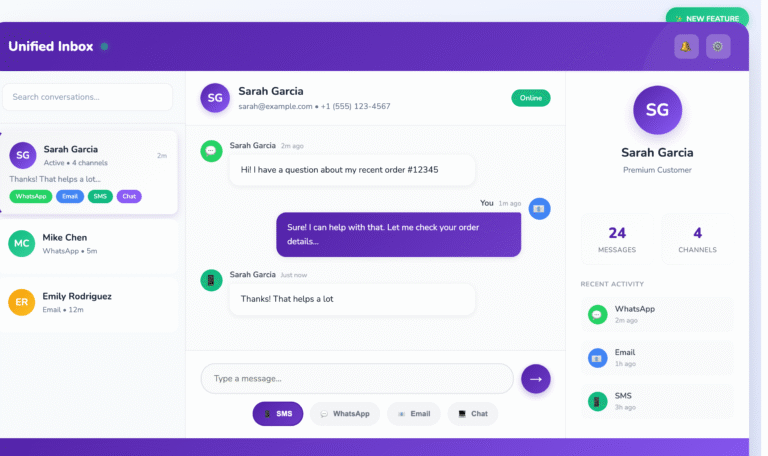

Say hello to your new CRM

Take a risk-free trial and explore all capabilities at zero cost for 15 days.
Try Free for 15 Days!

15-day free trial · No credit card required

Say Hello to One Unified Inbox — Conquer Conversations Everywhere | HelloCRM

Read More
Transform WhatsApp into a Multi Agent CRM & Ticketing System

Transform WhatsApp into a Multi Agent WhatsApp Support

Read More

Why Old CRMs Fail Startups (and How HelloCRM Solves It)

Read More

An AI-powered platform that unifies marketing, sales, and support for seamless customer engagement. 🚀

Sales & Marketing

  • Contacts & Companies
  • Deals & Quotes
  • AI Agents
  • Forms & Meetings
  • Tickets & Live Chat
  • Campaigns

Channels

  • SMS
  • RCS
  • WhatsApp
  • Voice
  • Email
  • Live Chat Widget

Tools

  • Phone Number Lookup
  • Email Verifier
  • URL Shortner
  • Lead Scrapper
  • Template Generator

Copyright @ 2026 HelloCRM

  • Privacy Policy
  • Terms of Service
  • Fair Use Policy
  • Privacy Policy
  • Terms of Service
  • Fair Use Policy
Linkedin Whatsapp X-twitter Youtube